
Retirements and selection mistakes are handled from the batter’s name.
Short answer
In a match with player names, tap the batter on the scoring screen and choose the action.
Open the batter actions
- On the scoring screen, tap the batter’s name.
- Choose Retire hurt, Retire out, Timed out or Wrong batter.
- Choose the replacement batter if the app asks for one.
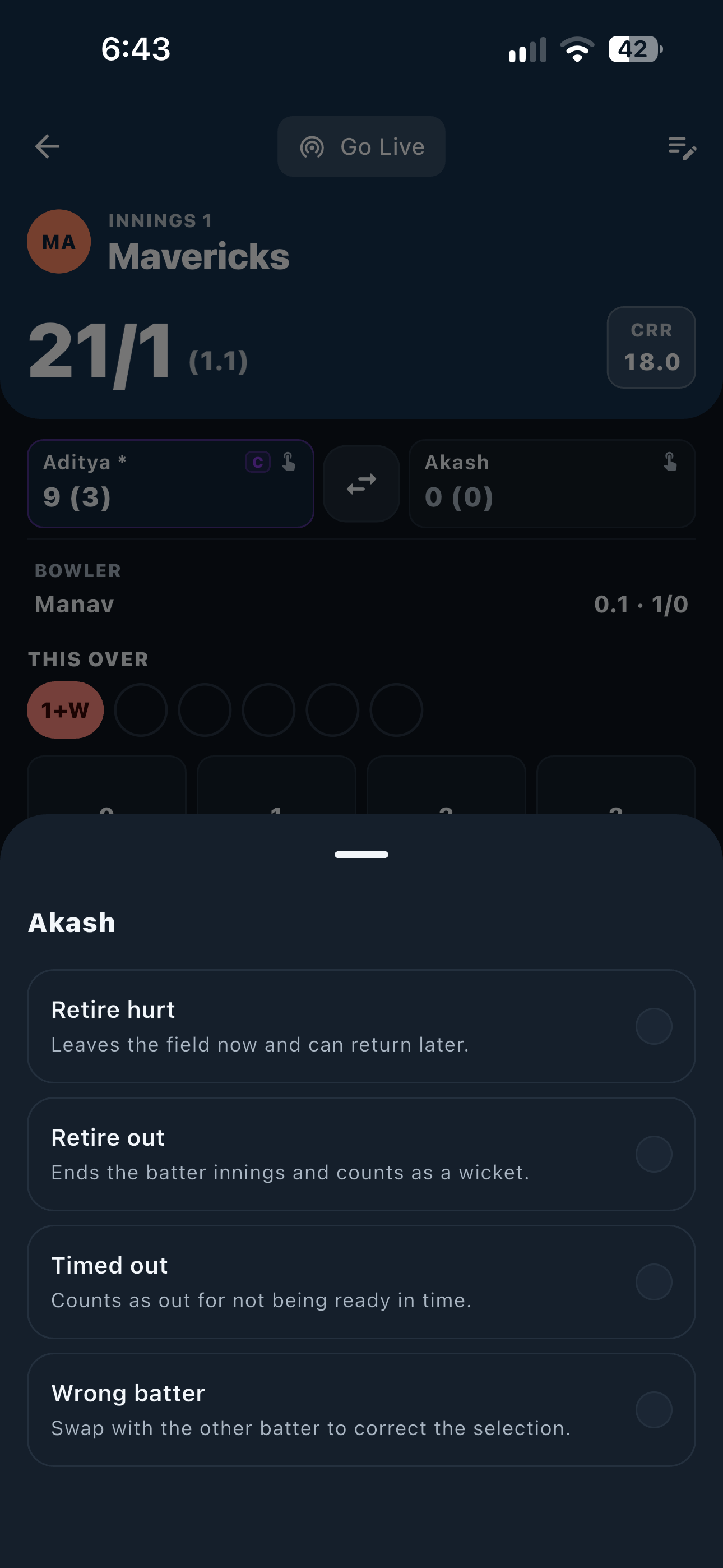
Which option to use
| Option | Use it when |
|---|---|
| Retire hurt | The batter leaves now and can return later. Offered when a replacement is available. |
| Retire out | The batter’s innings ends and counts as a wicket. |
| Timed out | An incoming batter was not ready in time. |
| Wrong batter | You selected the wrong person and need to correct it. |
Frequently asked questions
Why does tapping a batter do nothing?
Batter actions are available in matches that use player names.