
Everything you scored, laid out in four tabs.
Short answer
Tap Scoreboard on the scoring screen, or open a finished match, then switch between Summary, Scorecard, Overs and Graphs.
Summary and scorecard
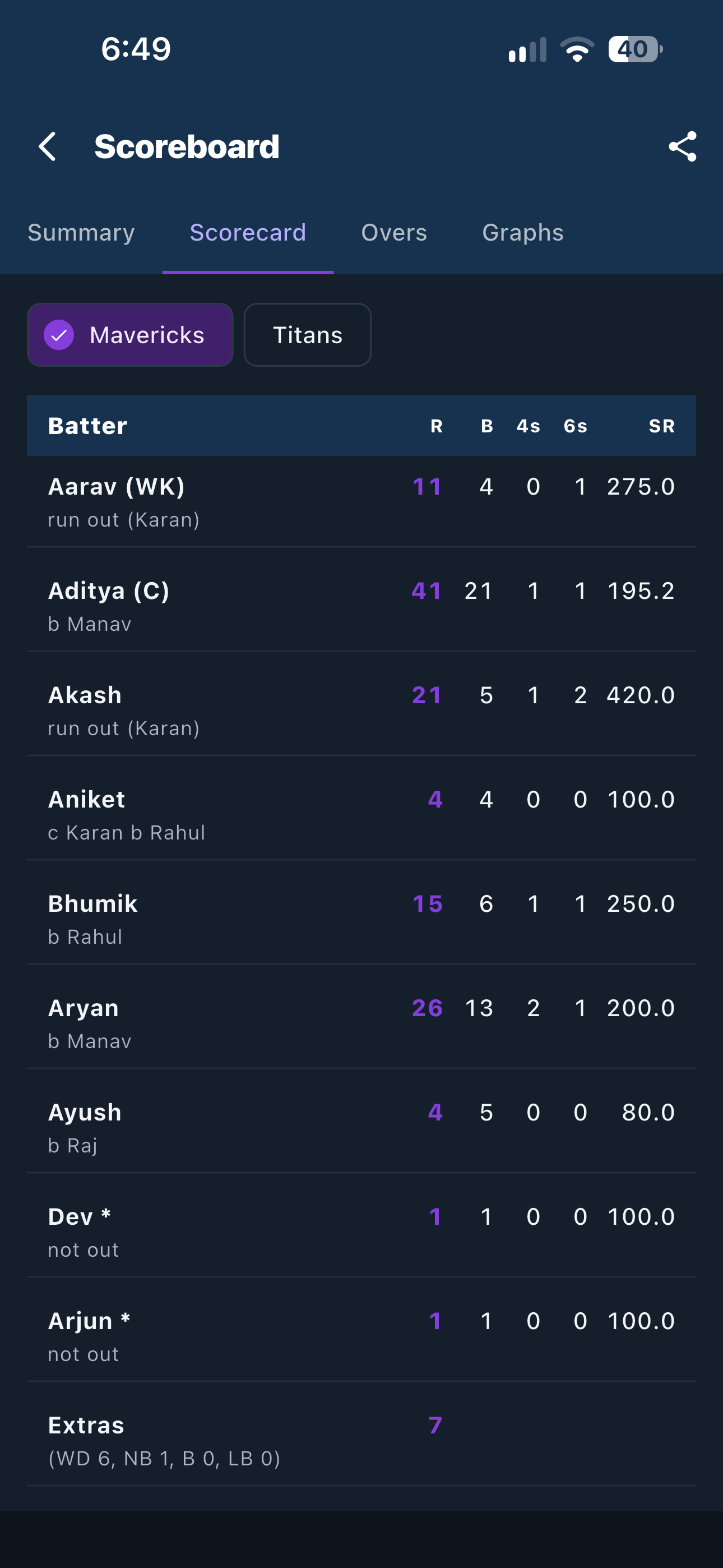
Summary shows the result, both totals, match details and settings. Scorecard lists each batter and bowler for the team you select.
Overs
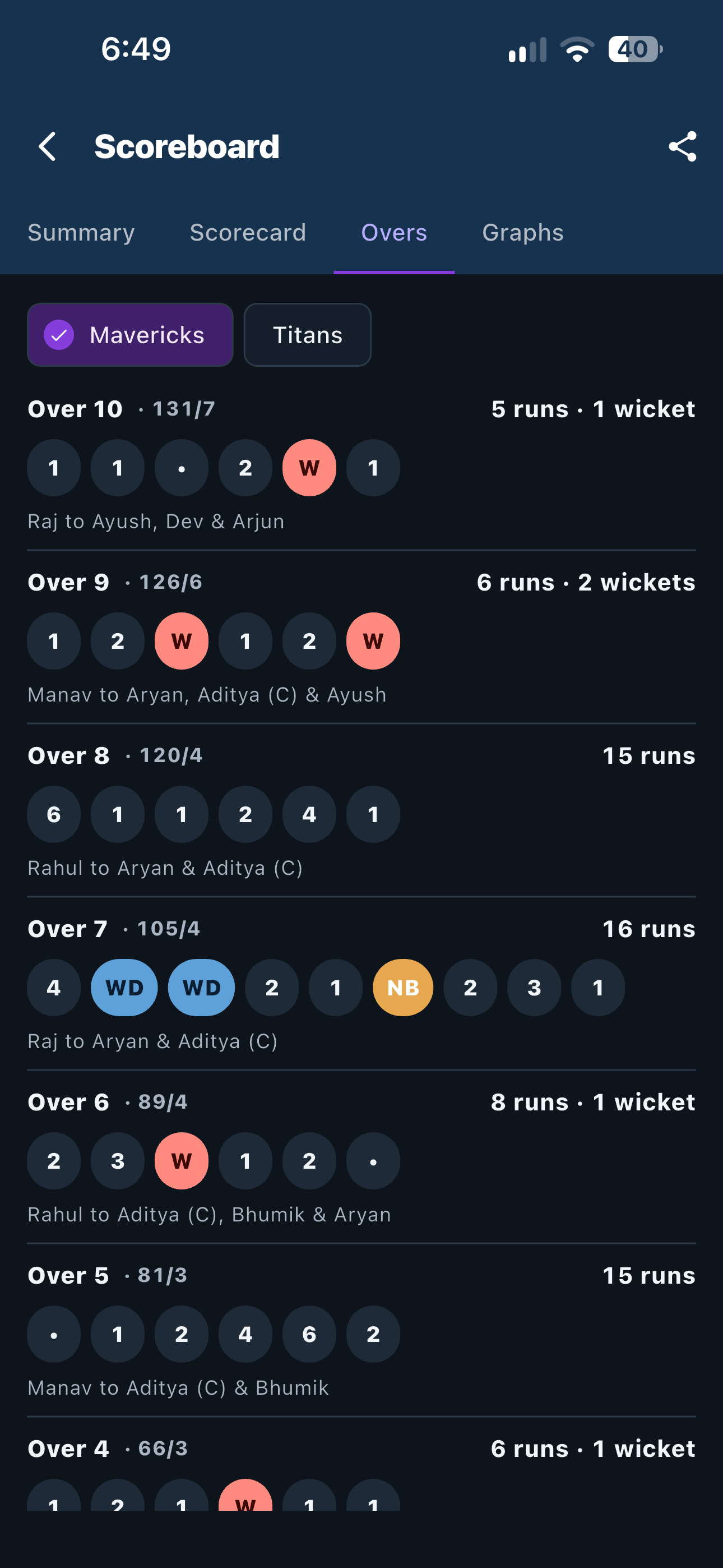
Overs shows every ball of every over, with the runs and wickets in each.
Graphs
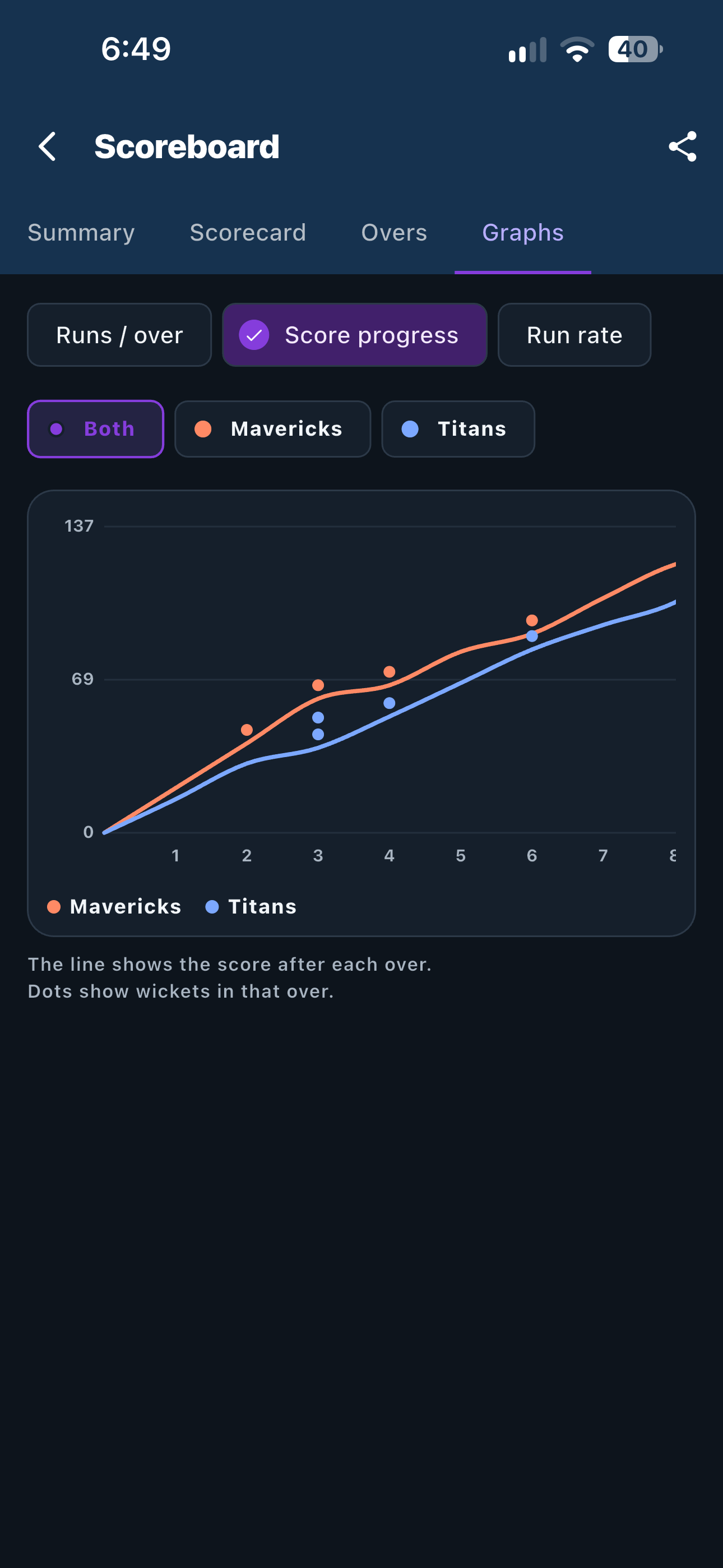
Choose Runs / over, Score progress or Run rate, and show one team or both.
Frequently asked questions
Where are Super Over figures?
A match with a Super Over has a separate Super Over tab.