
Light fading, or someone has just arrived? Edit the match without losing the balls already scored.
Short answer
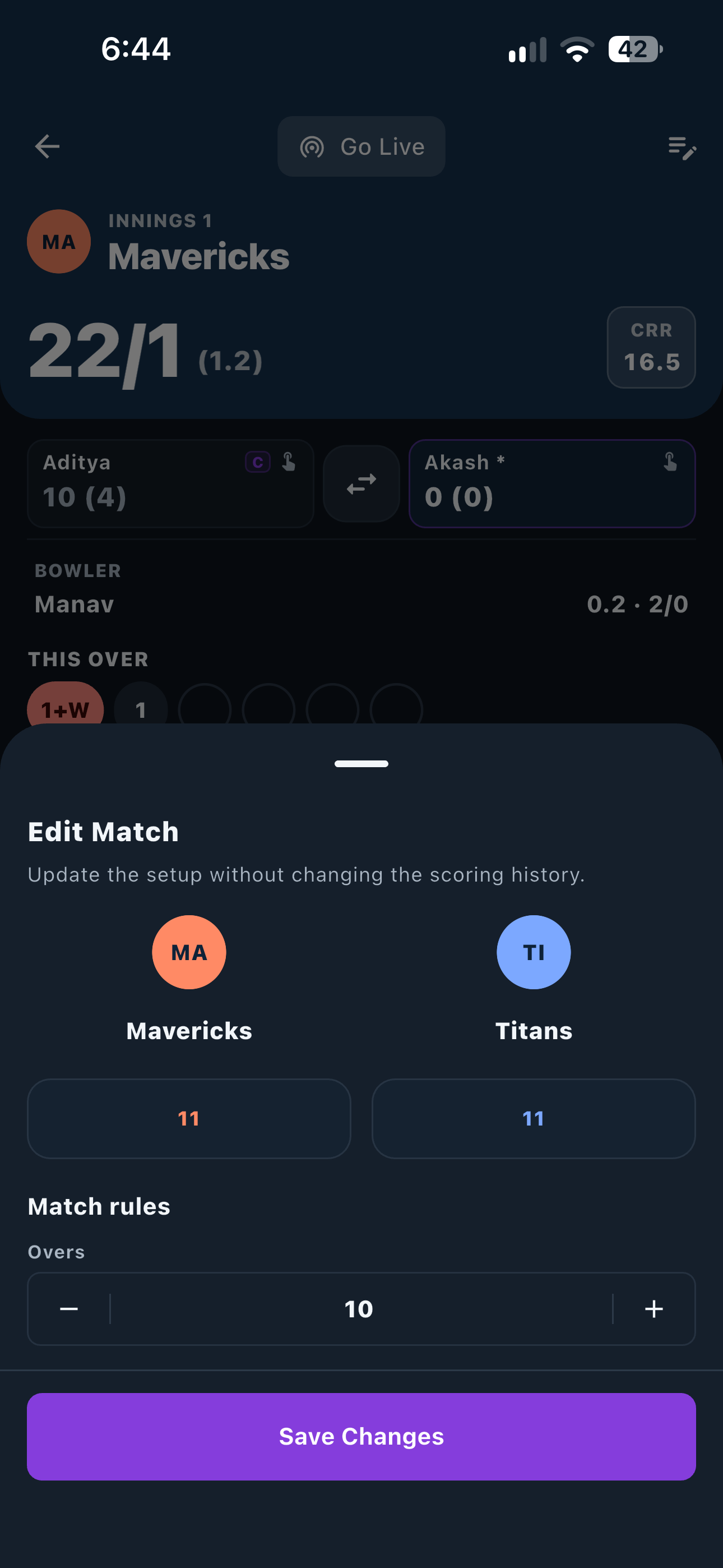
Tap the edit icon at the top right of the scoring screen, make the change and tap Save Changes. Overs and team sizes can be changed during the first innings.
Edit the match
- Tap the edit icon at the top right of the scoring screen.
- Change the overs, the number of players or the selected players.
- Tap Save Changes and confirm if the app asks.
When changes are locked
| Change | Allowed? |
|---|---|
| Overs | During the first innings, but not below what has already been bowled |
| Number of players | During the first innings |
| Overs and team sizes at the innings break or in the chase | No |
| Team names | No, they are fixed at match setup |
Frequently asked questions
Will editing delete my score?
No. Editing changes the match setup and keeps the deliveries already recorded.