
Named players get their own figures, and you only have to type each name once.
Short answer
Turn on Player Names on the New Match screen, open each team’s player list, select the players and confirm.
Choose a team
- On New Match, set how many players each team has.
- Turn on Player Names.
- Open a team’s player selection.
- Tap saved players to select them, or search for a name.
- Use Add new player for anyone who is not saved yet.
- Tap the confirm button, then do the same for the other team.
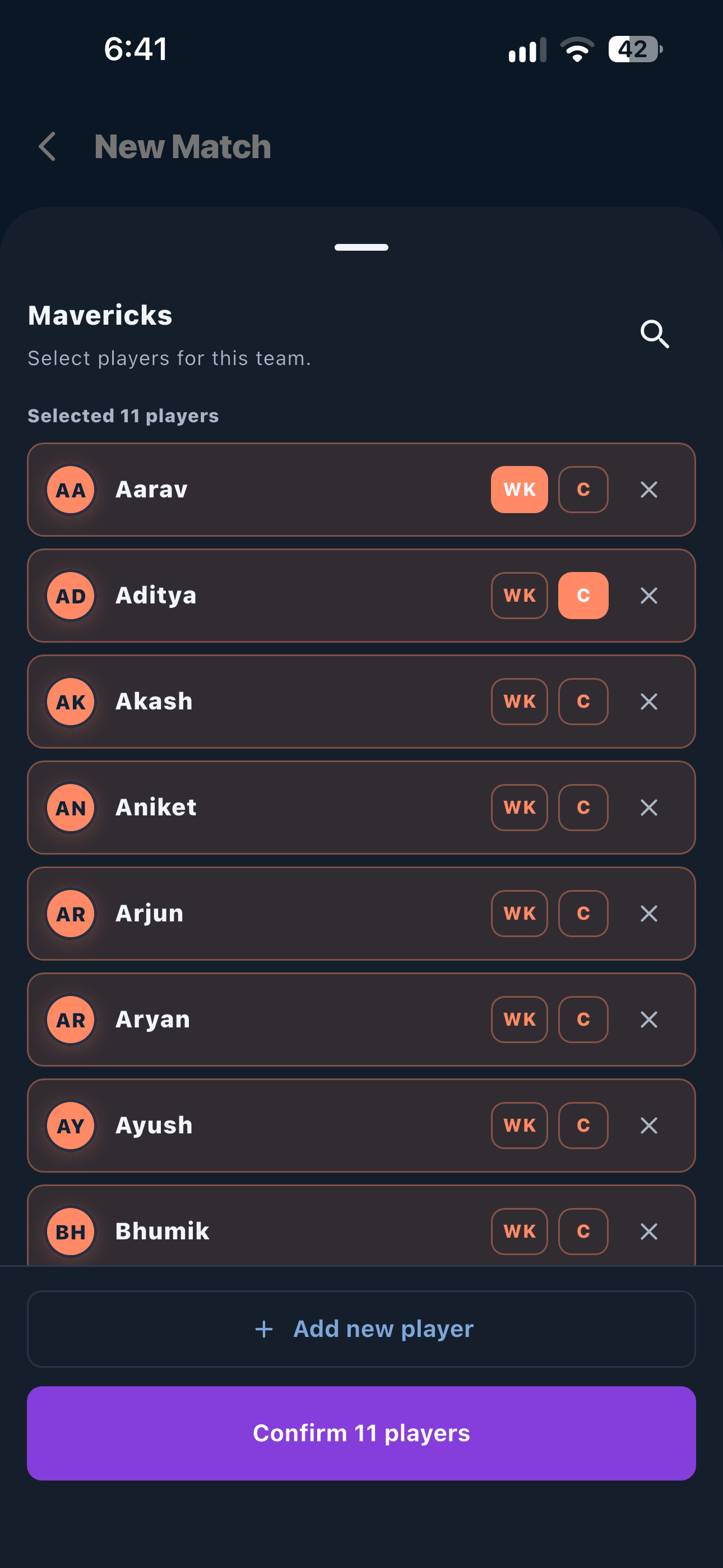
Captain and wicketkeeper
Tap C beside a selected player to make them captain, or WK to make them wicketkeeper. Tap the cross to remove a player from the team.
Rules for names
- Every place in both teams needs a named player before the match can start.
- A player cannot be in both teams in the same match.
- Names can be up to 20 characters.
Frequently asked questions
Can I score without choosing players?
Yes. Leave Player Names off and the app uses placeholder batters and bowlers.
Are players saved for next time?
Yes. Added players are kept on your phone and can be picked in later matches.