
A plain wide is one tap. Anything more complicated is one press and hold.
Short answer
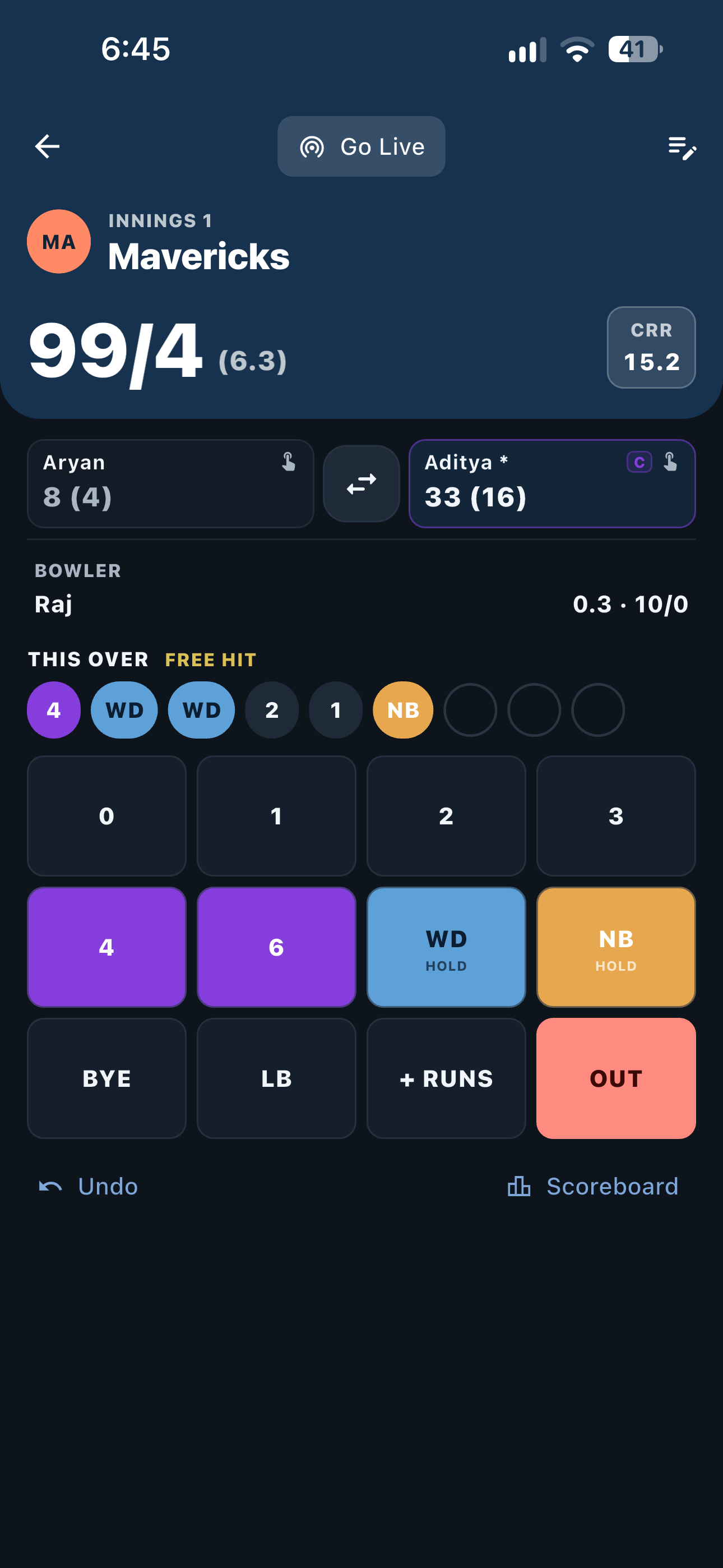
Tap WD or NB to record it with the match’s automatic run. Press and hold the button to add runs or a wicket. Tap BYE or LB to choose the runs.
Wides
- Tap WD for a wide with no extra running.
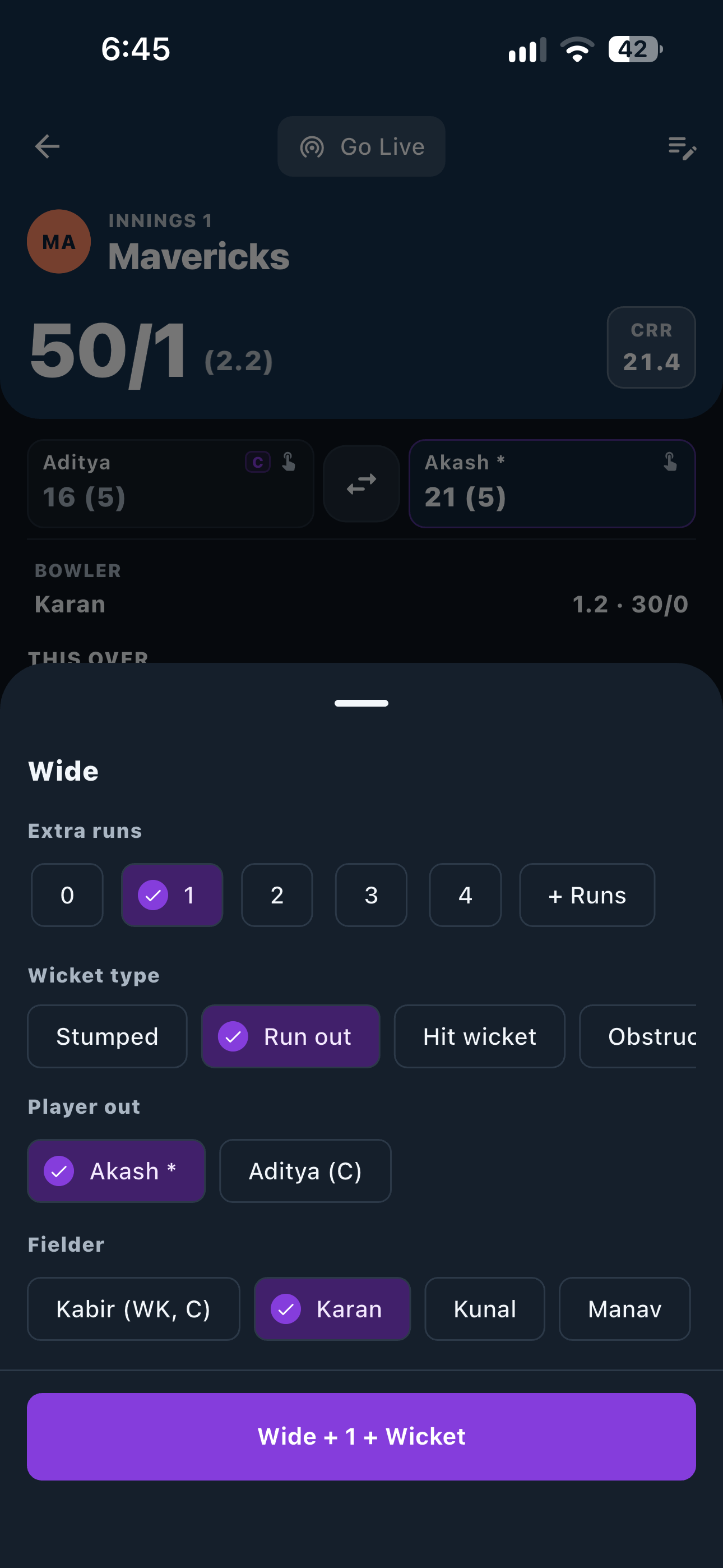
- For anything else, press and hold WD.
- Choose the extra runs, or a wicket: stumped, run out, hit wicket or obstructing the field.
- Confirm with the button at the bottom.
No-balls
Tap NB for a plain no-ball. Press and hold it to record runs off the bat, byes or leg byes, or a run out, hit the ball twice or obstructing the field. After a no-ball the screen shows a free hit, unless your match rules switch it off.
Byes and leg byes
- Tap BYE or LB.
- Choose how many runs were taken.
- Confirm. The runs go to extras, not to the batter or bowler.
Frequently asked questions
I recorded the wrong extra. What now?
Tap Undo to remove the last ball, then score it again.